QR Codes on Packaging & Print: Best Practices
Everything you need to know about placing QR codes on packaging and print — from size and contrast to dynamic links, tracking, and common mistakes that kill scan rates.
QR Codes on Packaging & Print: Best Practices
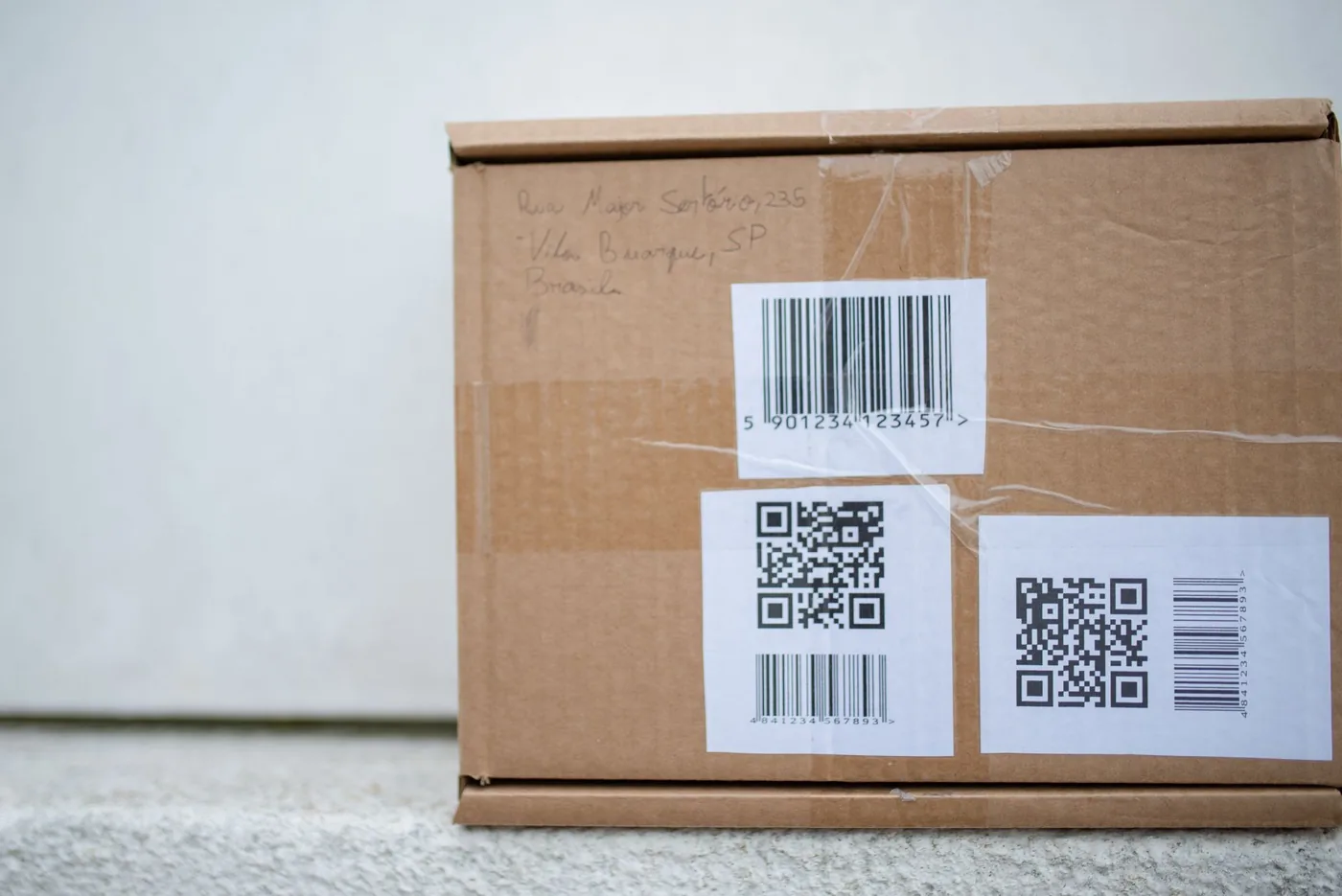
QR codes on packaging are one of the highest-leverage touchpoints a brand can use — a physical product becomes a live digital channel the moment a customer points their phone at it. Done well, a packaging QR code can drive reviews, tutorials, reorders, loyalty sign-ups, and product authentication. Done poorly, it gets ignored or — worse — fails to scan, and the customer walks away frustrated.
This guide covers everything you need to place, design, and track QR codes on packaging and print materials so they actually work.
Why Put QR Codes on Packaging in the First Place?
A product sitting on a shelf or arriving in a box has roughly three seconds to prompt the next action. QR codes collapse the gap between physical and digital without requiring a customer to type a URL or search for your brand.
Common use cases for packaging QR codes include:
- Product tutorials and setup guides — link to a video walkthrough instead of printing a 40-page booklet
- Review prompts — send customers straight to your Google, Amazon, or Trustpilot listing
- Reorder links — a scan-to-reorder flow dramatically reduces friction for consumables
- Loyalty programs — let customers enrol by scanning the box
- Authenticity verification — unique QR codes per batch prove genuine provenance
- Nutritional or allergen detail pages — food and supplement brands offload dense regulatory content to a web page
- Campaign landing pages — limited-edition packaging drives seasonal promotions
The case for QR codes on packaging is strong. They require no app install, work on every modern smartphone camera, and give you analytics that a printed URL never could.
Choosing Between Static and Dynamic QR Codes
Before you print a single box, decide whether you need a static or dynamic QR code.
| Static QR Code | Dynamic QR Code | |
|---|---|---|
| Destination URL | Fixed — encoded in the pattern | Changeable after printing |
| Analytics | None | Full scan data (time, location, device) |
| Error correction | Standard | Standard |
| Best for | One-off flyers, Wi-Fi passwords | Packaging, catalogues, long-print runs |
| Risk | URL change = reprint | URL change = free, instant |
For almost all packaging scenarios, dynamic QR codes are the right choice. You might print 50,000 units only to discover a landing page URL changes six months later, or you want to redirect to a seasonal promotion. A dynamic code lets you update the destination without touching the physical product.
Using a tool like fewly's QR code generator creates dynamic QR codes backed by short links — so you can update the destination, run A/B tests on landing pages, and see real-time scan analytics long after your packaging run has shipped.
Size Requirements for Packaging QR Codes
Size is the single most common reason a packaging QR code fails to scan. Smartphone cameras — even good ones — struggle with codes that are too small, especially in low light or at an angle.
Minimum sizing rules
- Absolute minimum: 2 cm × 2 cm (roughly 0.8 inches square) for a code scanned at arm's length
- Comfortable minimum: 3 cm × 3 cm for typical retail packaging
- Large-format packaging (shipping boxes, display units): 5 cm × 5 cm or larger
- Outdoor/distance scanning (posters, window displays): scale up so the code covers at least 1/10th of the viewing distance — a poster viewed from 1 metre needs a code at least 10 cm wide
A reliable rule of thumb: the ratio of scanning distance to code size should be no more than 10:1. So if you expect someone to scan from 30 cm away, the code needs to be at least 3 cm wide.
Quiet zone
Every QR code requires a quiet zone — a clear white border around the pattern — equal to at least 4 modules (the individual squares) in width. On printed packaging this is often clipped by designers trying to save space. Never remove the quiet zone; it's not decorative, it's functional. The scanner uses it to locate the edges of the code.
Contrast, Colour, and Background Rules
QR codes work by contrast. The scanner reads the difference between dark modules and a light background. Break the contrast, and you break the code.
Safe colour choices
- Best: Black modules on white or very light background
- Good: Dark navy, dark green, or dark brown on white or cream
- Risky: Any combination where the contrast ratio is below 3:1
- Avoid: White or light modules on coloured backgrounds (many scanners cannot reliably read "inverted" QR codes)
- Avoid: QR codes placed directly on photographic backgrounds, kraft paper textures, or busy patterns
If your packaging uses a dark colour scheme and you want the QR code to fit, place it inside a white or cream panel rather than trying to reverse the colours. A small white rectangle costs you very little real estate and saves a lot of scan failures.
Can you use a branded or coloured QR code?
Yes — but carefully. Most QR code generators let you apply brand colours to the modules or add a logo in the centre. This works if:
- The contrast between modules and background stays high
- The central logo covers no more than 30% of the code area (error correction handles the rest)
- You test the final design across at least three different smartphone models before printing
Always test with error correction level set to H (high) when you add a logo — this dedicates more of the code to redundancy.
Placement on Packaging: Where to Put the Code
Placement affects both scan rate and brand perception. A QR code buried in small print on the base of a bottle will get far fewer scans than one placed at natural eye level on the front or side panel.
General placement principles
- Front or back panel — highest visibility, highest scan rate
- Side gussets on pouches — good for food packaging where front space is premium
- Inside the lid/flap — creates a "discovery" moment for unboxing-style products, good for loyalty programs
- Label wrap — works well on bottles; avoid placing the code across a seam where the label joins
What to avoid
- Curved surfaces with tight radius (narrow bottles, lipstick tubes) — camera distortion makes scanning unreliable unless you use a very small code and the surface is matte
- Foil, metallic, or holographic substrates — reflections destroy contrast
- Over perforations or tear lines — the code gets destroyed when the customer opens the packaging
- Areas likely to get wet, greasy, or scratched — relevant for food and cleaning product packaging
Add a call to action
A QR code without a call to action is a missed opportunity. Tell the customer what happens when they scan:
- "Scan for setup guide"
- "Scan to reorder"
- "Scan to register your warranty"
The CTA can be 8–12pt text sitting just below the code. It removes ambiguity, increases scan rates, and sets the right expectation for what comes next.
Print Specifications and File Preparation
Getting the QR code from screen to press without degradation requires attention at every step of the production chain.
File format
Always supply your QR code to the printer as a vector file (SVG or EPS). Never use a rasterised JPEG or PNG at low resolution — printers scale artwork, and a pixelated QR code will not scan. SVG scales infinitely with zero quality loss.
If your design tool only exports raster, use a resolution of at least 300 DPI at final print size, and ideally 600 DPI for small codes on high-quality packaging.
Ink and print process considerations
- Offset lithography: excellent results; use spot black (100% K) for the modules
- Digital printing: reliable; watch for toner/ink spread on uncoated stocks that can close up fine modules
- Flexographic printing (common for flexible packaging): lowest resolution of the major print processes; request a minimum module size from your printer and use error correction level H
- UV or varnish coatings: matte coatings are generally safe; high-gloss UV can cause reflections. Request a test print with the coating before approving a full run
Always request a physical proof — not just a digital proof — before approving the full print run. Scan the proof on multiple devices.
Tracking and Analytics for Packaging QR Codes
One of the strongest arguments for dynamic QR codes on packaging is the analytics layer they unlock. Every scan is a data point: when it happened, where in the world, on what device, and through which campaign.
With a proper link management platform sitting behind your QR codes, you can answer questions like:
- Which SKU or product variant gets the most scans?
- Are customers scanning at the point of purchase (in-store) or when they get home?
- Which geographic markets are most engaged?
- Did the landing page update on last quarter's promotion drive more conversions?
This kind of data is simply not available with a static QR code pointing to a hardcoded URL. It closes the loop between offline packaging spend and online customer behaviour.
If you run URL shortener-backed campaigns for marketing, you can use UTM parameters behind the QR code short link to attribute packaging scans inside your analytics platform — separating them cleanly from web traffic, email, or paid channels.
Common Mistakes That Kill Scan Rates
After covering the best practices, it's worth being explicit about what goes wrong most often in practice.
- Linking to a desktop homepage that isn't mobile-optimised — nearly 100% of QR code scans come from mobile devices. If the destination page isn't responsive, you've wasted the scan.
- Using a static QR code for a URL that changes — results in every unit printed with a broken link, with no way to fix it without a reprint.
- No analytics — you cannot improve what you cannot measure.
- Printing at too small a size — sub-2 cm codes fail in real-world conditions even if they look fine on a proof.
- Placing the code on a curved or reflective surface — covered above, but it's the most common physical placement mistake.
- Missing or vague CTA — customers often don't know what the QR code does. Tell them.
- Slow landing page — industry research consistently shows mobile users abandon pages that take more than 3 seconds to load. The best QR code in the world cannot rescue a 10-second page load.
- Testing only on one device — different camera apps (iOS native, Google Lens, Samsung camera) have slightly different scanning algorithms. Test on at least three.
QR Codes on Print Beyond Packaging
The same principles apply across any printed medium, with a few context-specific notes.
Business cards
Size is the main challenge — a business card is small and often handled at odd angles. Use a minimum 1.5 cm code, high contrast, and link to a mobile-friendly vCard or contact page. Keep the quiet zone intact.
Brochures and catalogues
Excellent candidates for QR codes. Each section or product can have its own code linking to a dedicated landing page or product detail page. Track which pages drive the most scans to learn what your audience cares about most.
Posters and signage
Scale the code for the expected viewing distance (the 10:1 rule above). Use the highest error correction level (H) because outdoor codes face fading, weathering, and graffiti. Refresh the destination seasonally via your dynamic link platform without reprinting.
Direct mail
QR codes on direct mail pieces consistently outperform printed URLs in response rate studies. Place the code prominently on the front, include a CTA, and use a unique short link per mailing list segment so you can measure response by audience.
Frequently Asked Questions
What is the minimum size for a QR code on product packaging?
The safe minimum is 2 cm × 2 cm for codes scanned at arm's length, and 3 cm × 3 cm is a more comfortable target for most retail packaging. Scale up for distance scanning — the scanning distance to code size ratio should not exceed 10:1.
Can I put a QR code on coloured or dark packaging?
Yes, but place the QR code inside a white or light-coloured panel rather than reversing the colours. Inverted (light modules on dark background) QR codes are not reliably scanned by all camera apps and should be avoided for commercial packaging where scan rate matters.
What happens if the URL behind my QR code changes after printing?
If you used a static QR code, every printed unit is now broken and you face a reprint. If you used a dynamic QR code — through a platform like fewly — you simply update the destination URL in your dashboard. The printed code is unchanged and starts resolving to the new URL immediately.
Should I use error correction level H on all packaging QR codes?
Error correction level H (30% data recovery) is recommended whenever you add a logo to the code centre, or when the code will face physical wear (outdoor signage, packaging that gets handled heavily). For clean, undecorated codes on controlled print environments, level M or Q is sufficient and produces a slightly less dense, easier-to-scan pattern.
How do I track how many times my packaging QR code has been scanned?
Static QR codes offer no tracking. Dynamic QR codes backed by a short link — like those generated by fewly — record every scan with timestamp, device type, and geographic data. You can view this in your link dashboard and export it for reporting. Connect UTM parameters to the destination URL to carry scan data into Google Analytics or any other analytics tool.
Ready to Build Your Packaging QR Codes?
The difference between a QR code that drives real engagement and one that gets ignored comes down to a handful of decisions made before anything goes to print: dynamic vs. static, size, contrast, placement, and the mobile experience waiting on the other side.
Start free on fewly to create dynamic QR codes with built-in analytics, custom destinations you can update any time, and short links that work for every channel — packaging, print, email, and beyond.
Keep reading
How to Create a QR Code for a PDF, Form, or WiFi
Learn how to create a QR code for a PDF document, Google Form, or WiFi network — with step-by-step instructions, best practices, and free tools to get started.
QR codesQR Codes for Restaurants: The Complete Menu Guide
A step-by-step guide to creating, deploying, and managing a QR code menu for restaurants — covering design, placement, analytics, and best practices to boost guest experience and reduce costs.
QR codesQR Code Marketing: 12 Use Cases That Drive Results
From restaurant menus to product packaging, QR code marketing bridges the physical and digital worlds — here are 12 proven use cases that deliver measurable engagement and conversions.