Connect HighLevel
When a contact clicks a link in your email or text, HighLevel can tag them, alert a rep or start a follow-up, all at that moment.
Available on: Team and Agency 10 minutes
What you're building
You put your contact's ID into the link using a HighLevel merge tag. fewly records who clicked and tells your workflow straight away.
Part 1: connect the two
In HighLevel, open Automation, then Workflows, and create a workflow from scratch
Click Add New Trigger and choose Inbound Webhook
Copy the address it shows.In fewly, open Integrations and click HighLevel
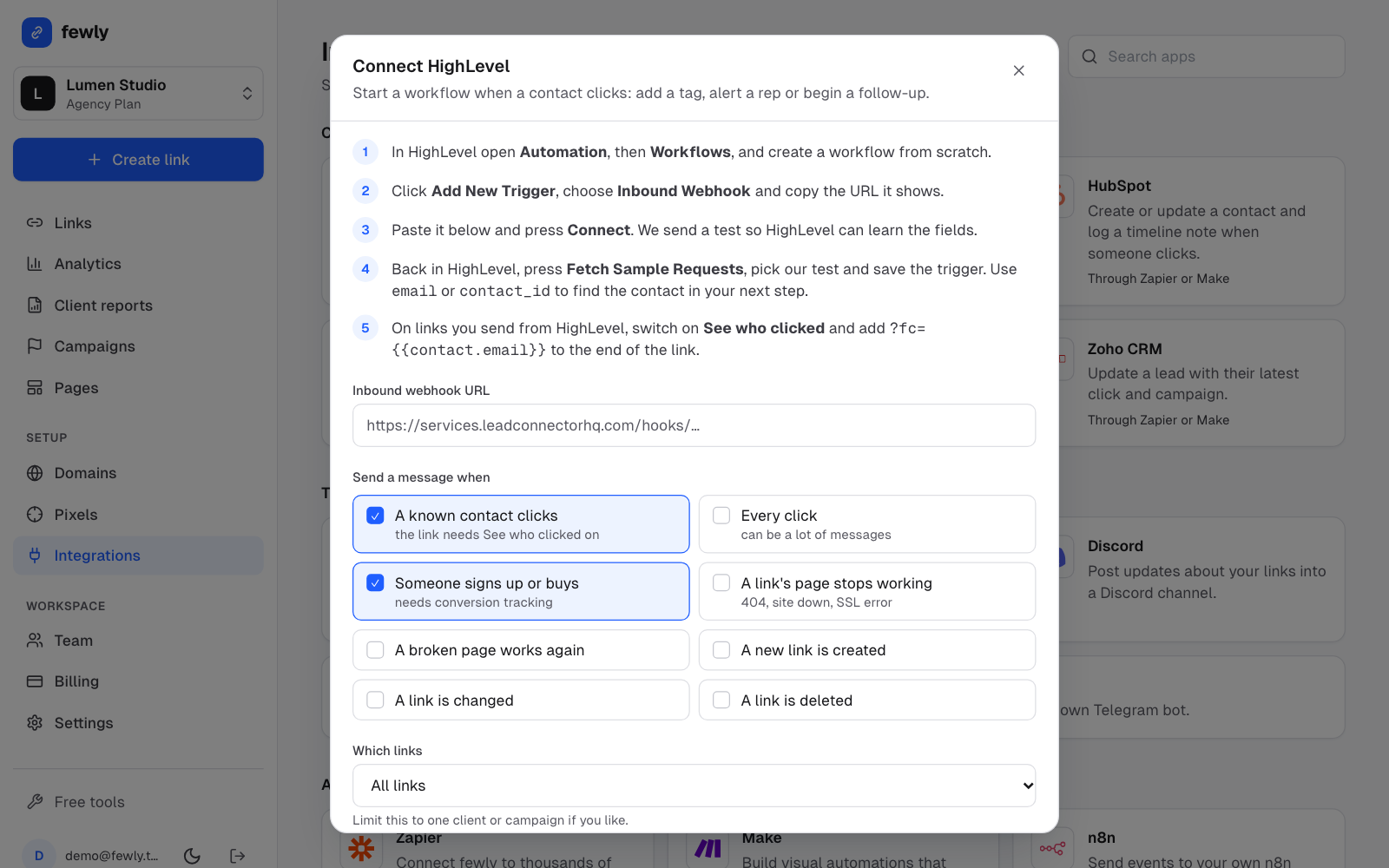
Paste the address and choose the events
Leave A known contact clicks ticked. Press Connect HighLevel. fewly sends a test message.Back in HighLevel, fetch the sample and save the trigger
Click Fetch Sample Requests and pick our test. HighLevel now knows the fields.
Part 2: make a link that knows who clicked
In fewly, create a link and open See who clicked
Switch on Record the contact on each click.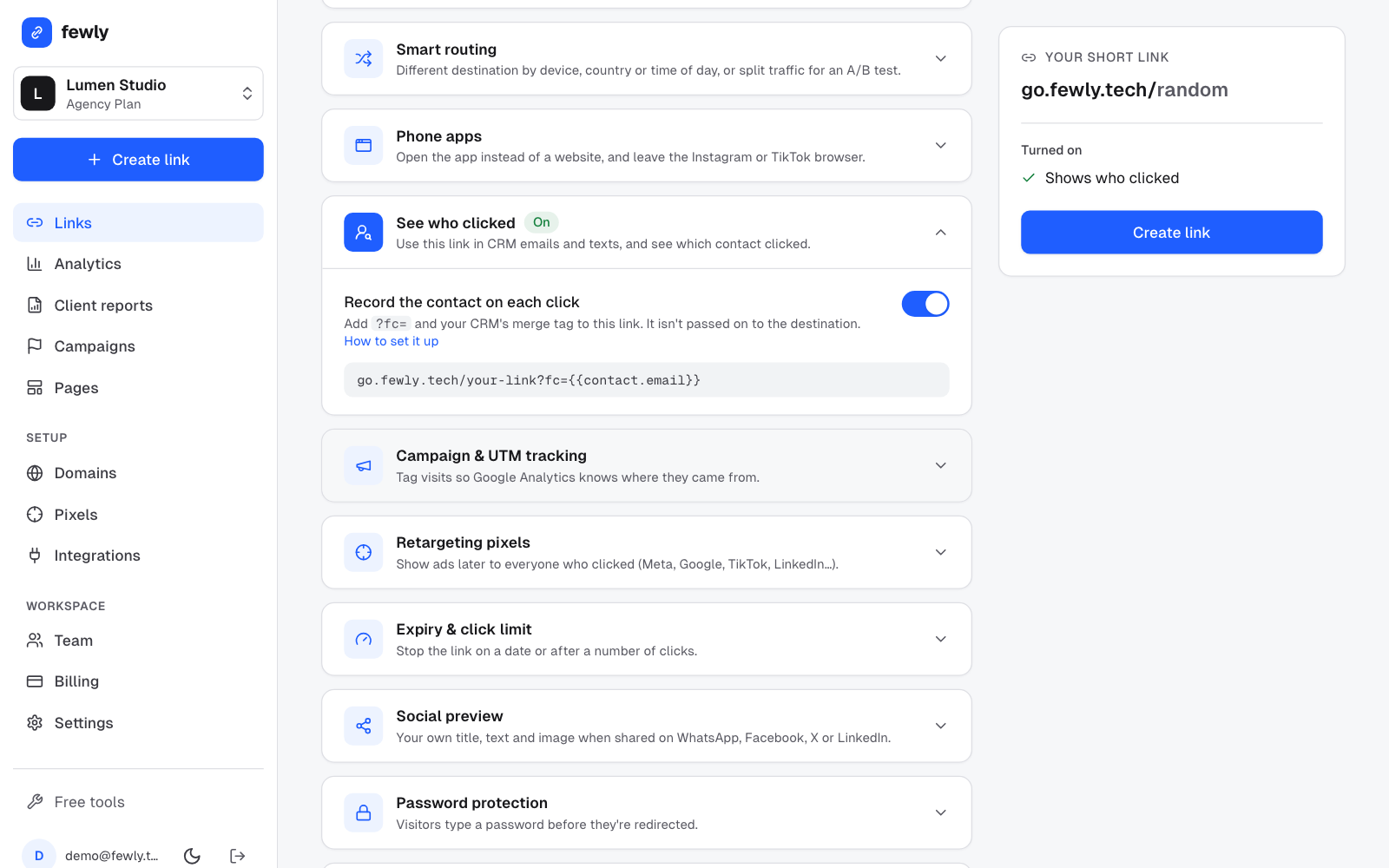
Use the link in HighLevel with the merge tag
In your email or SMS, write the link like this:HighLevel swaps in each person's contact ID as it sends. Use the ID rather thanhttps://go.fewly.tech/your-link?fc={{contact.id}}{{contact.email}}, especially for clinics: an ID tells fewly nothing about the person on its own.
Part 3: tell the workflow what to do
Add a step to find the contact
Use theemail,phoneorcontact_idfield from the trigger. You can see these underinboundWebhookRequest.Add your action
For example Add Contact Tag withclicked-offer, an internal notification to the rep, or a follow-up message.Publish the workflow and test it
Send yourself the email, click the link and watch the workflow's history.
Fields your workflow receives
event,occurred_atcontact,email,phone,contact_idshort_url,link_code,link_title,destination_url,campaign,tags,total_clickscountry,city,device,browser,referrerutm_source,utm_medium,utm_campaignconversion_goal,conversion_value,conversion_currency
fewly encrypts the contact value before storing it, never passes it to the destination page, and erases it after 180 days. Still mention link tracking in your privacy notice. Email scanners that open links are filtered out as bots where we can spot them, but a few can still look like clicks.
If something isn't working
HighLevel shows no sample
In fewly press Test on the connection, then fetch again.
The workflow doesn't start on real clicks
Check that See who clicked is on for that link, that the link has
?fc=, and that the workflow is published. History on the connection shows whether fewly sent the message.The email shows up as literal text
The merge tag didn't fill in. Copy it from HighLevel's own merge-field picker.
Still stuck? Contact us and tell us what you tried.