The WordPress plugin
Every post gets a short link when you publish it, and you can see the clicks right inside WordPress.
Available on: All plans. WooCommerce orders need conversion tracking, on Pro and above. 3 minutes
Install it
Download the plugin
Download the zip file. Don't unzip it.Upload it to WordPress
Go to Plugins, Add New, Upload Plugin, choose the file, press Install Now, then Activate.Create an API key
In fewly open Settings, API keys and press Create key. Copy it now, because it's only shown once.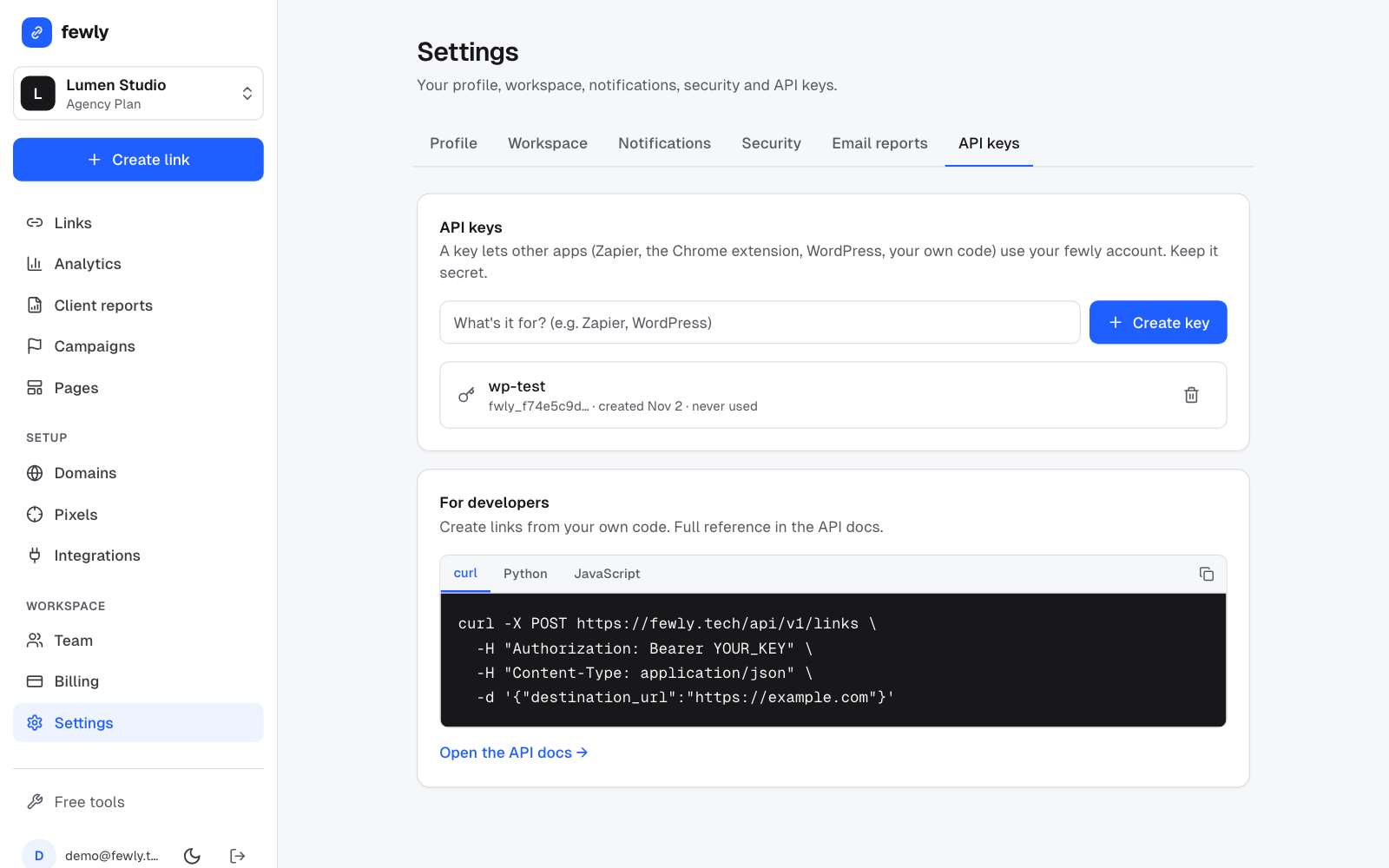
Connect
In WordPress open fewly, Settings, paste the key and press Save Changes. You should see a green "Connected" line.Create links for your old posts
Open fewly, Overview and press Create short links.
Where you'll see it
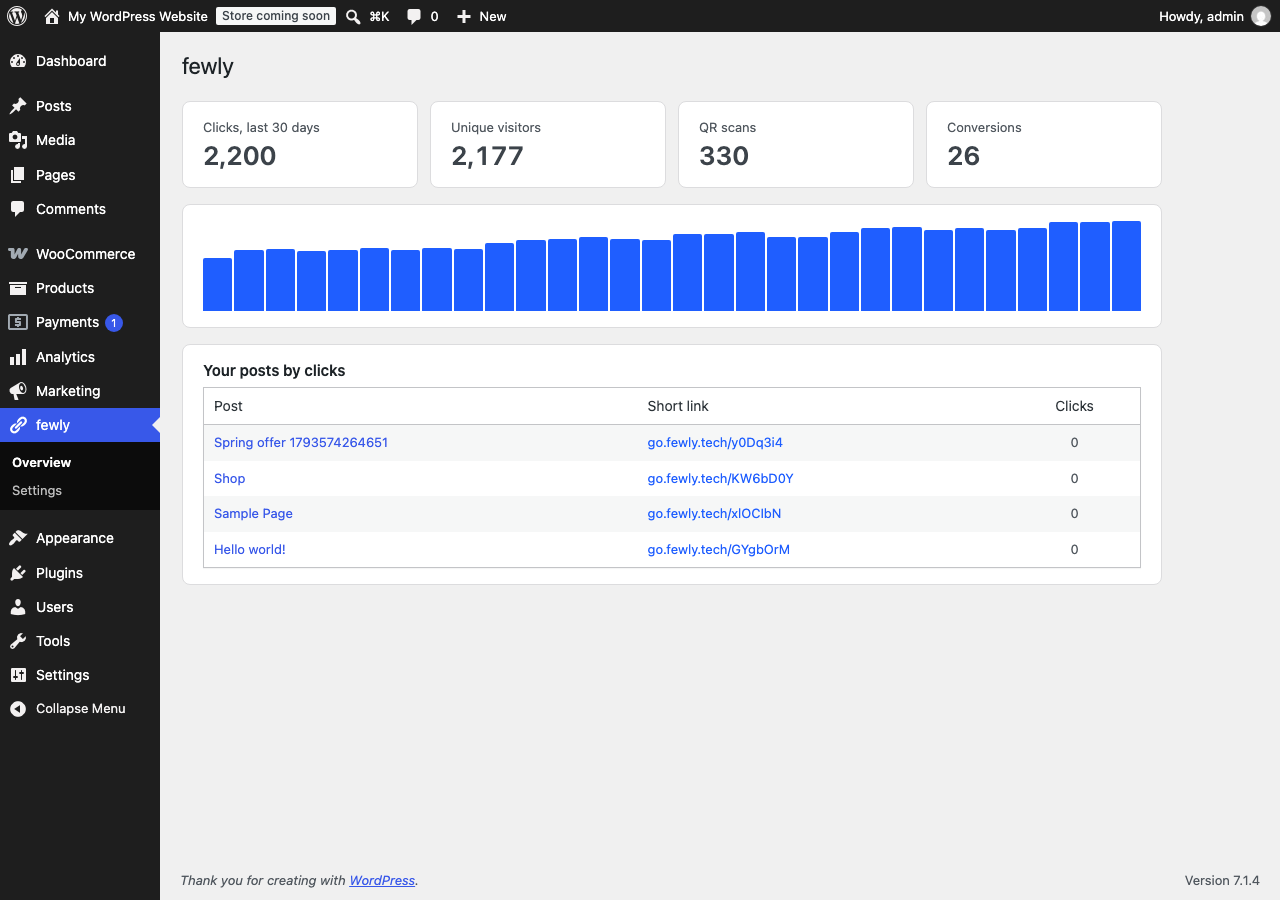
- fewly, Overview: your total clicks, a chart, and your posts ranked by clicks.
- Posts list: a fewly column with the link and its clicks. Click the link to copy it.
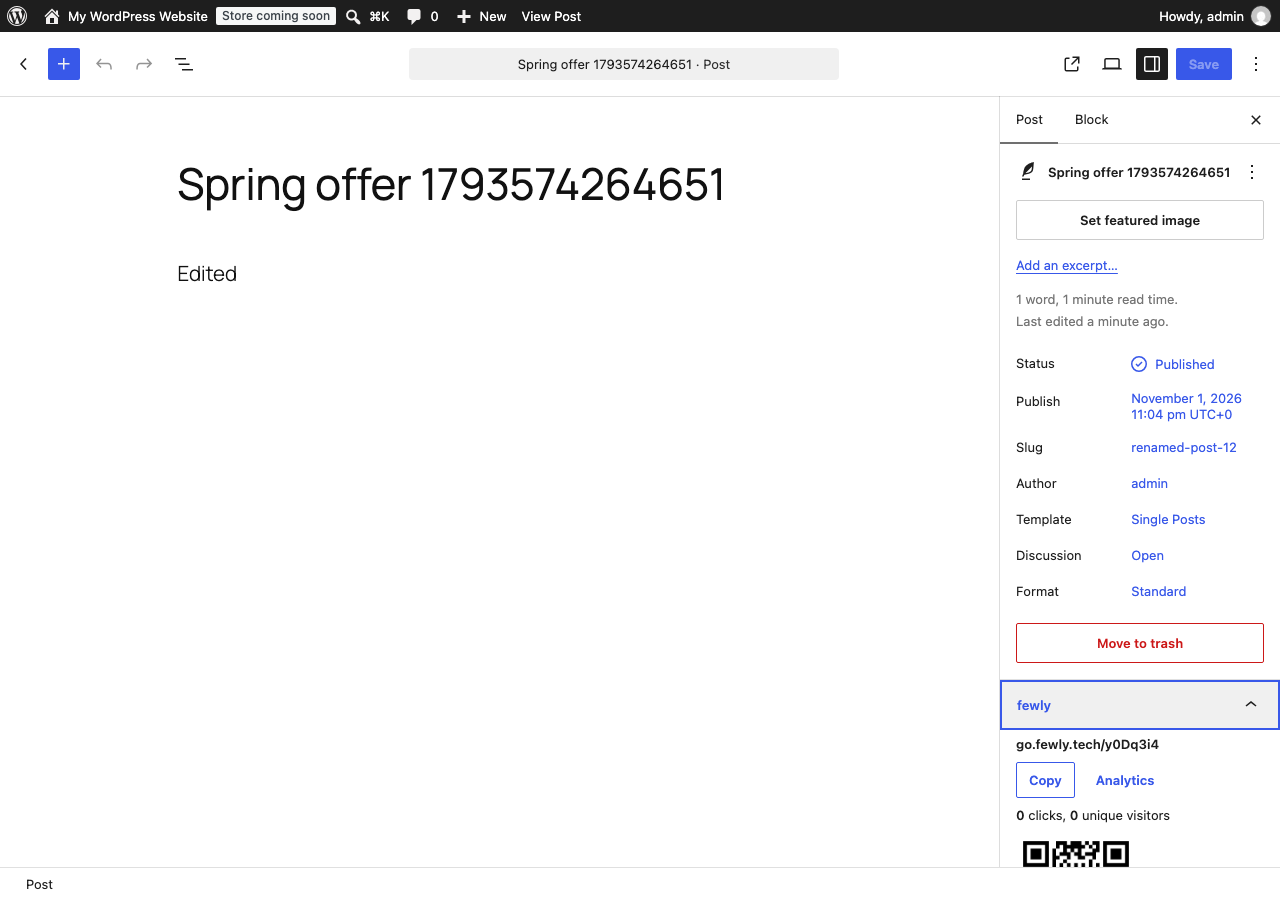
- Editor: a fewly panel in the sidebar with the link, clicks and QR code.
- WordPress Dashboard: a small widget with your clicks.
Settings worth knowing
- Create them for: choose posts, pages, products or other types.
- Domain and Campaign: use your own domain, and put all links in a campaign.
- Track clicks on outside links: links to other sites go through a short link, so you can see which get clicked. Great for affiliate links. They're made when you save a post.
- Count WooCommerce orders: each order and its value is reported to the link that brought the customer.
Shortcodes
Type these into any post or page.
[fewly]this post's short link[fewly text="Share this"]the same link, with your words[fewly url="https://example.com"]a short link for any address[fewly_qr size="200"]this post's QR code[fewly_clicks]how many clicks this post has had[fewly_share]share buttons that use the short link[fewly_goal name="signup" value="10" currency="USD"]counts a conversion on a thank-you page
Good to know
- If fewly can't be reached, publishing still works, and the link is made five minutes later.
- Change a post's address and its short link updates, so printed QR codes keep working.
- Visitors never wait for fewly: links are made when you save, not when someone reads.
- Your links keep working if you remove the plugin.
If something isn't working
It says fewly didn't accept my key
Make a new key and paste the whole thing, starting
fwly_.A post has no short link
Check its type is ticked under Create them for. Drafts only get a link when published. In the block editor, the fewly panel has a Create short link button.
WordPress on my own computer won't make links
Links must point to a public website, so a site on localhost can't be shortened.
Still stuck? Contact us and tell us what you tried.