Keep your account safe
Your fewly account controls where your clients' links go. A stolen password shouldn't be enough to change them.
Available on: All plans 2 minutes
Turn on two-step verification
After your password, fewly also asks for a 6-digit code from an app on your phone. Use any authenticator app: Google Authenticator, Microsoft Authenticator, 1Password or Authy.
Open Settings, then Security
Press Set up two-step verification.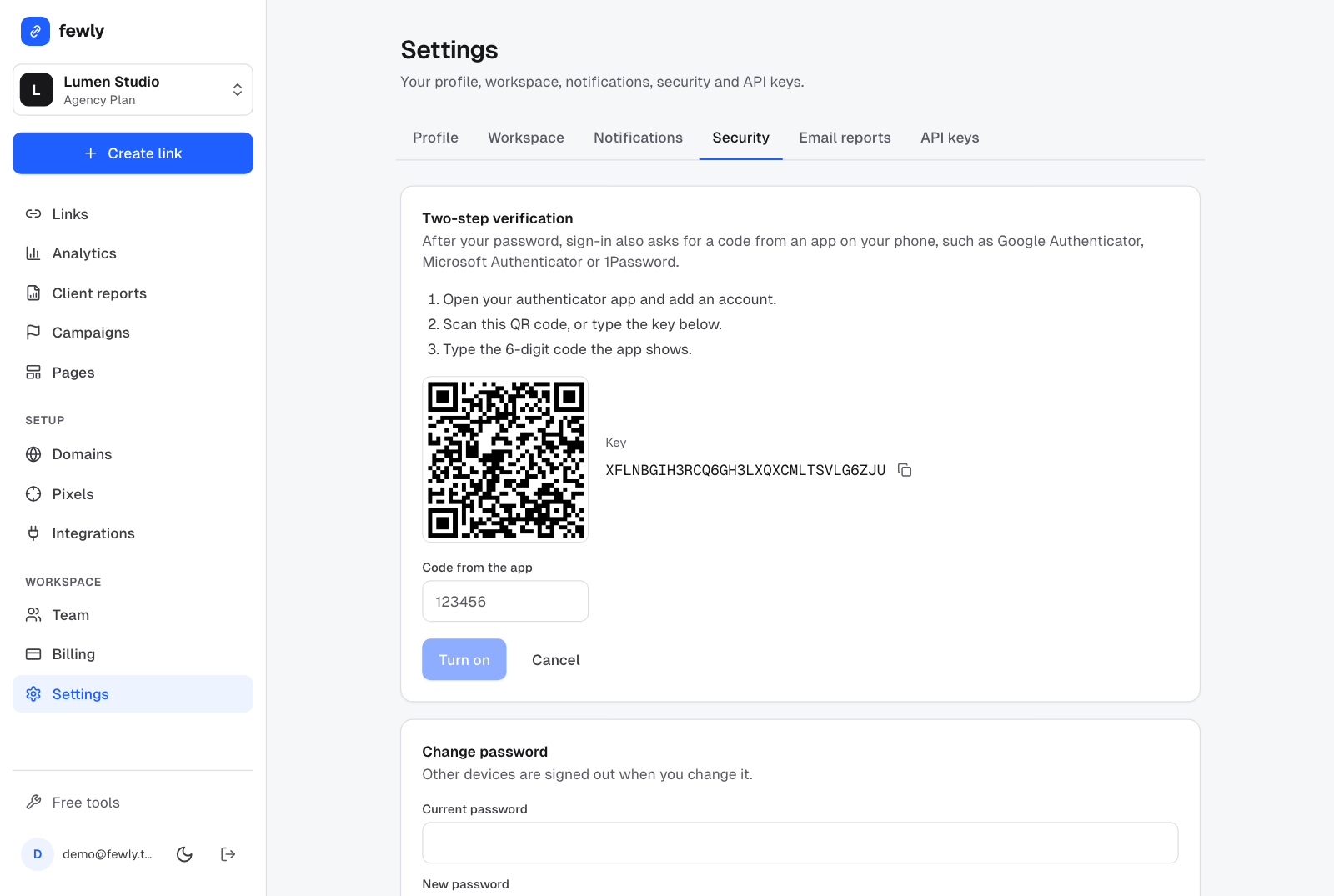
Scan the QR code with your authenticator app
Or type the key shown next to it.Type the 6-digit code from the app and press Turn on
Save your recovery codes
You get 10 codes. Download them or copy them somewhere safe. Each works once, if you ever lose your phone.
From now on, signing in asks for a code from your app, whether you use your password, an email code or Google.
Require it for your whole team
Owners and admins can open Settings, Workspace and switch on Require two-step verification. Anyone without it sees a message asking them to set it up before they can open the workspace. Turn it on for yourself first.
Sign in with Google
On the sign-in page press Continue with Google. If you already have a fewly account with the same email, it signs you into that account. If not, it makes one. You can add a password later in Settings, Security.
How fewly protects your visitors
- Visitor IP addresses are stored only as a keyed hash, never as plain addresses.
- CRM contact identifiers are encrypted before they're stored, never passed to the destination, and erased after 180 days.
- Logs record page paths without the part after the question mark, and are deleted after 14 days.
- Every destination is checked for malware and phishing, and private network addresses are refused.
- The database is backed up every 15 days.
If something isn't working
I lost my phone
The code is always wrong
I lost my phone and my recovery codes
Still stuck? Contact us and tell us what you tried.